Billing (solidtime Cloud)
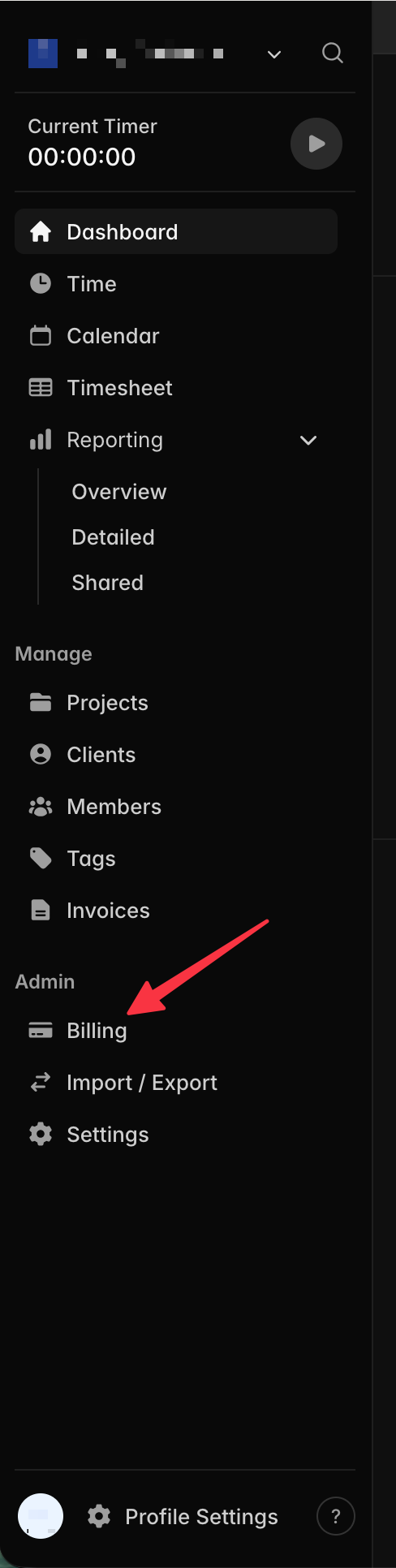
You can manage your subscription of solidtime Cloud in the Billig dashboard. The billing dashboard can be accessed through the "Billing" entry in the left navigation.
Adding a VAT number
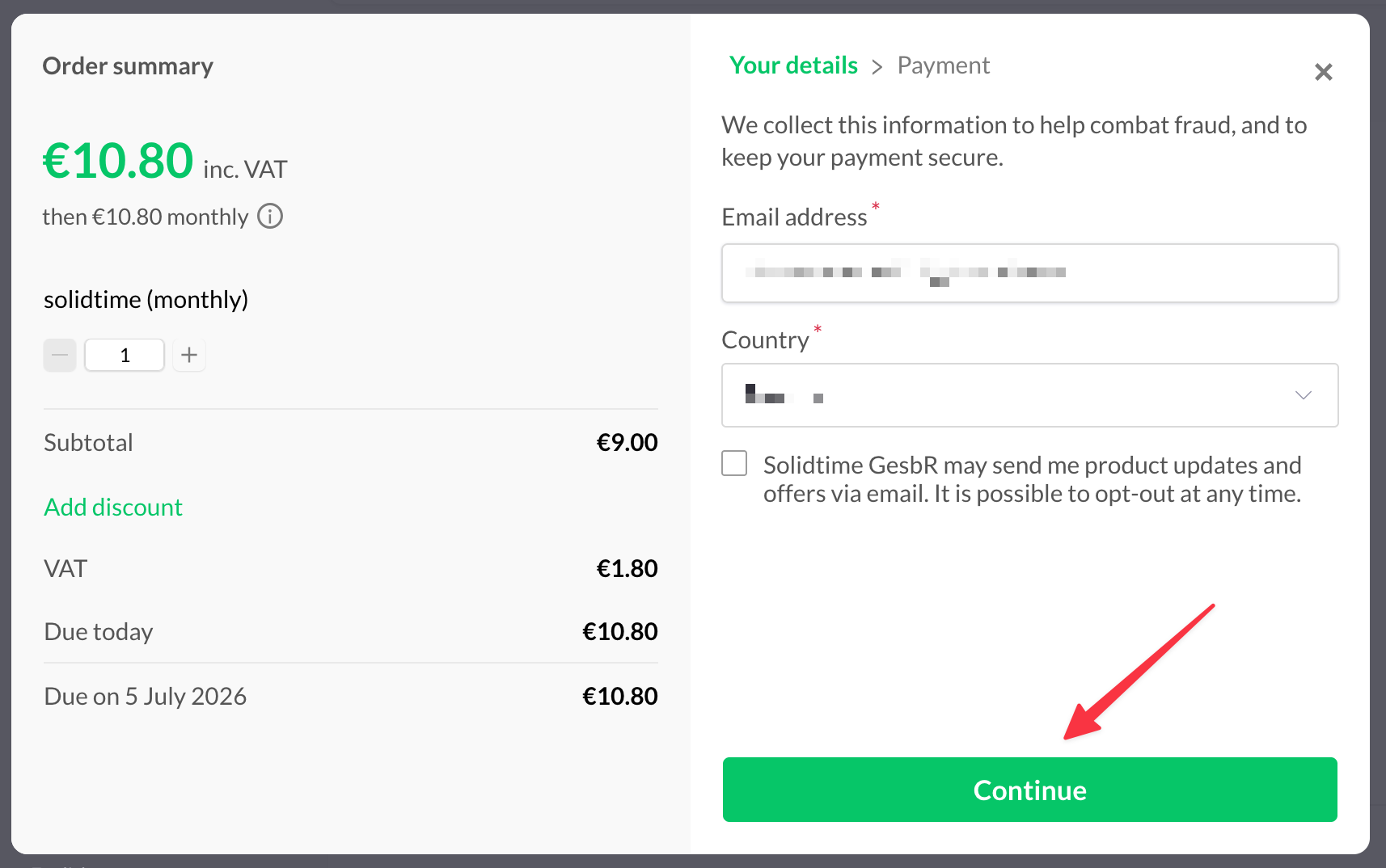
After choosing your plan and clicking on "Subscribe" you need to click "Continue".
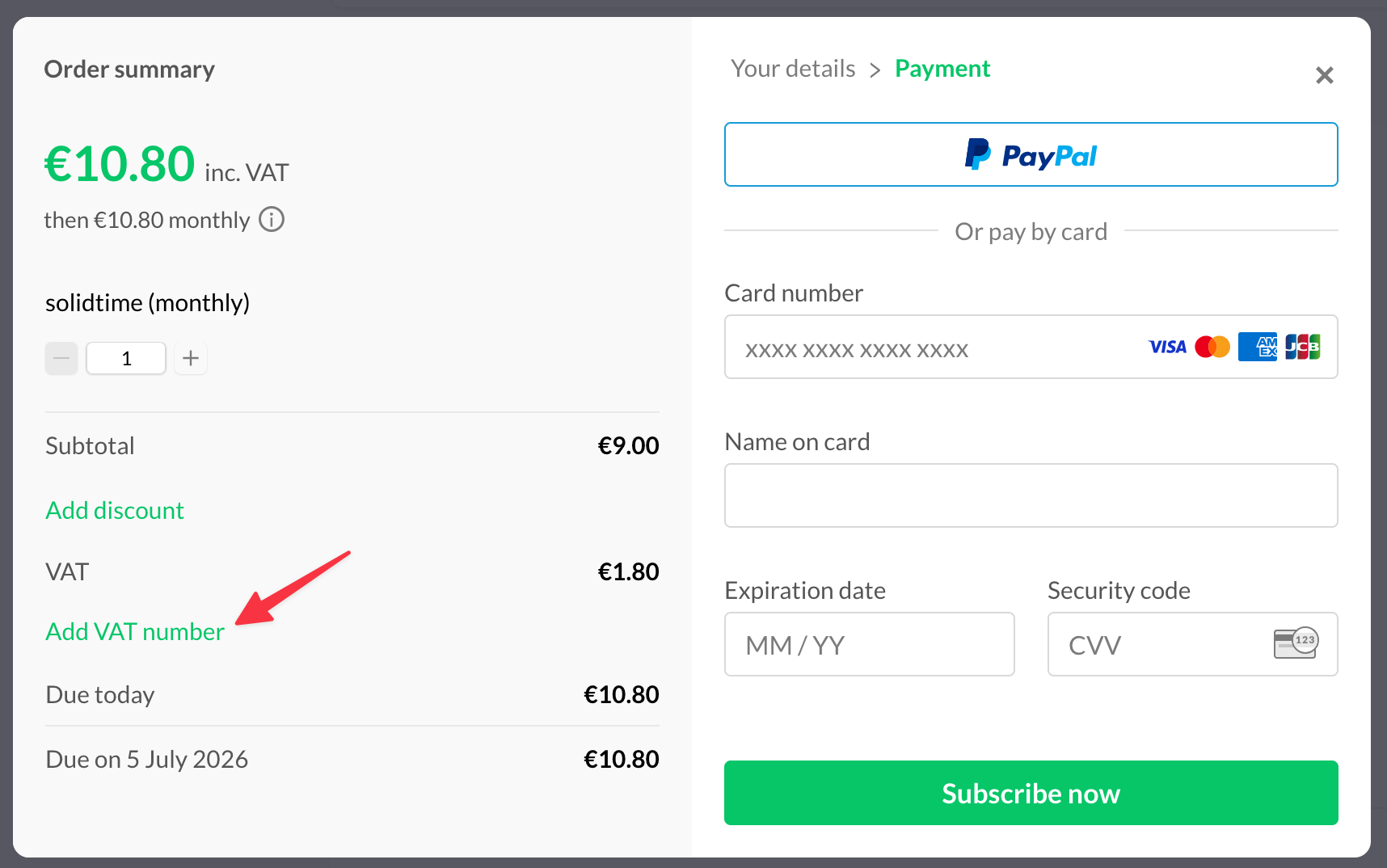
In the next step click on "Add VAT number" before adding your payment information.
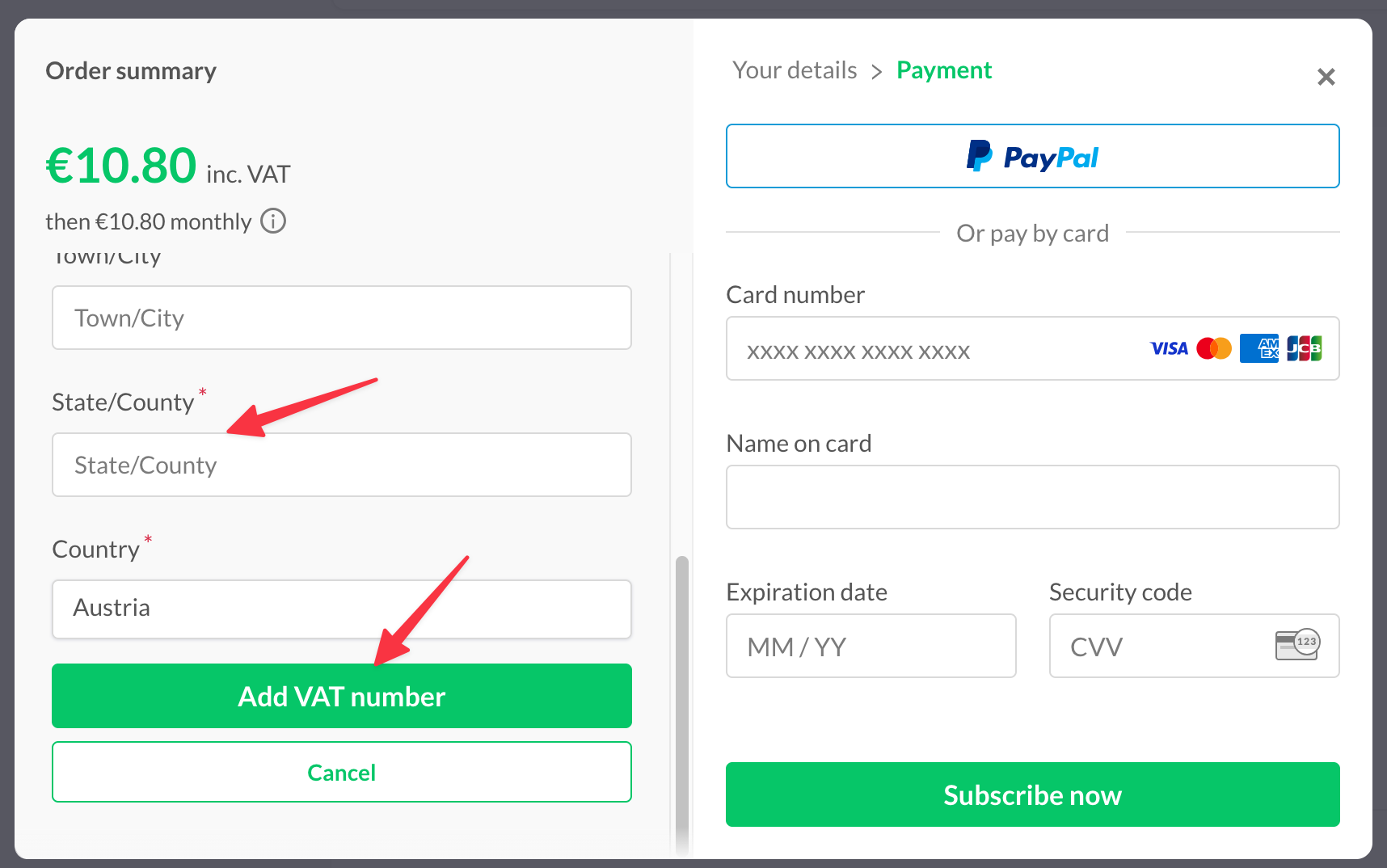
Now you need to enter your VAT number and the address of your business. Afterwards scroll down and click on "Add VAT number". Now the price should update to the price without VAT.
You can continue the payment process to finalize the purchase of solidtime Cloud.